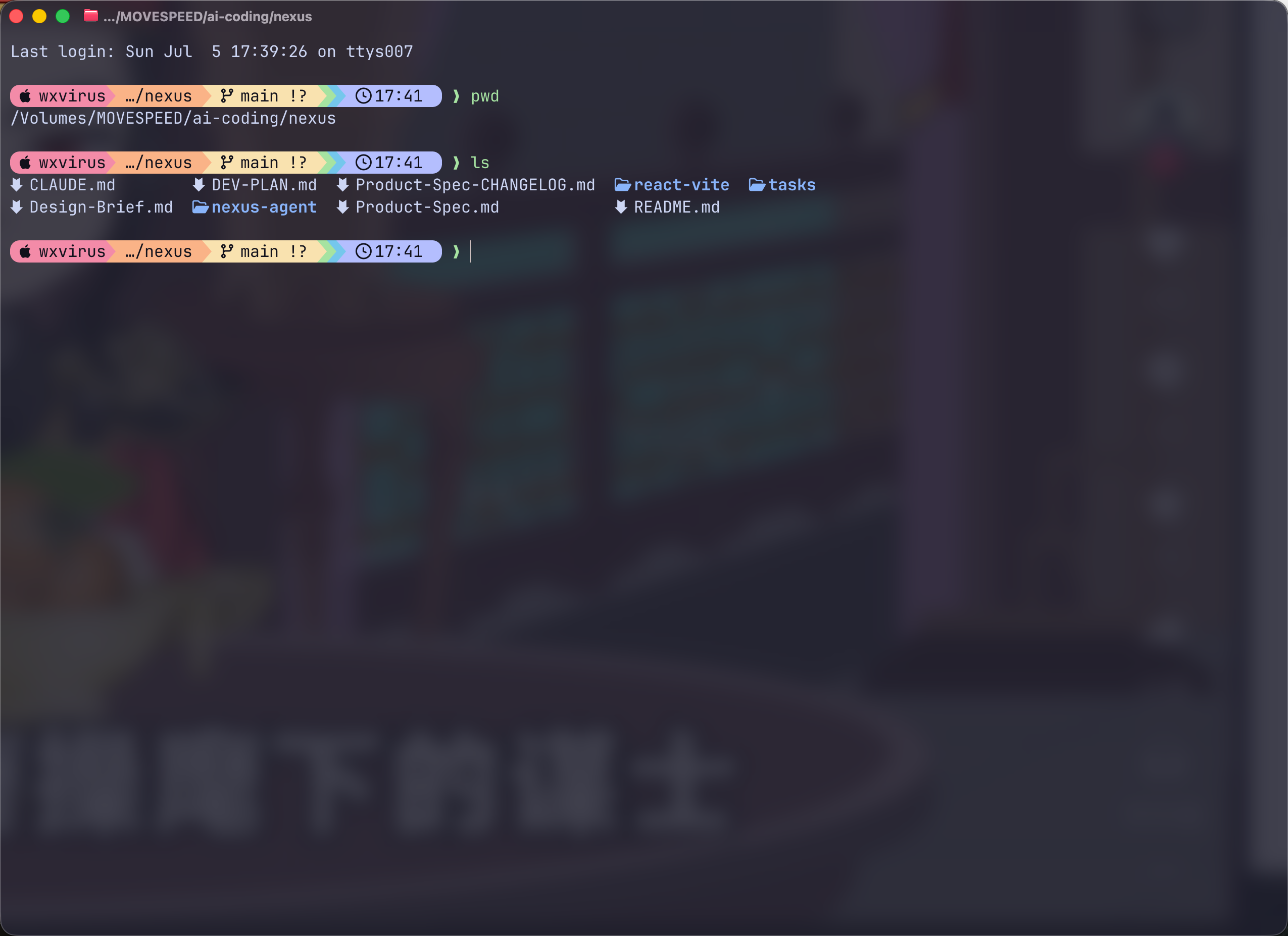
Ghostty 美化
MacOS 版本
ghostty 的主题配置
https://github.com/catppuccin/ghostty
- 下载下来,放到
~/.config/ghostty/themes/下 - 打开
ghostty的设置,进行编辑配置
主要配置如下
前提你得下载安装一些
Nerd Font的字体
txt
# --- Typography ---
font-family = "0xProto Nerd Font Mono Bold"
font-size = 16
adjust-cell-height = 2

# --- Theme and Colors ---
theme = Catppuccin Mocha
mouse-hide-while-typing = true

window-padding-x = 12
window-padding-y = 12
window-padding-balance = true需要保存配置后重启ghostty
安装starship 彩虹状态栏
注意了,如果你已经安装了
oh-my-zsh之类的,那就别弄这个了,基本上就是美化效果。
官网地址:https://starship.rs/zh-CN/
使用homebrew安装
bash
brew install starship使用winget安装
bash
winget install starship配置初始化脚本
zsh配置
在~/.zshrc文件末尾添加以下内容
sh
# ~/.zshrc

eval "$(starship init zsh)"bash 配置
在~/.bashrc文件末尾添加以下内容
sh
# ~/.bashrc

eval "$(starship init bash)"其他的可以按照官网的配置步骤来,我主要使用的还是
zsh
配置完成之后,重启终端。
配置和 Catppuccin 的预设配置
bash
starship preset catppuccin-powerline -o ~/.config/starship.toml如果提示写入有问题,会提示你加上--force,在上述命令后面加上这个即可。